Section author: Sebastian Jentschke
From SPSS to jamovi: t-test for paired samples
This comparison shows how a t-test for independent samples is performed in SPSS and jamovi. As a first step, it demonstrates the calculation of the statistics underlying the t-test for paired samples. For this calculation, first, the average number of mischieveous acts for each person is calculated before a mean of these individual averages is calculated for the whole group. The individual is then adjusted for that group mean. The aim of this calculation is to show that by using repeated measurements, one can “control” for some proportion of the variance which is caused by individual differences in performance. In connection with this, the standard error of mean becomes smaller (which means that effects easier can become significant (as compared to a between-subjects design). This is described in chapter 10.9.2 of Field (2017), especially Figure 10.7 to 10.10.
It uses the data set Invisibility RM.sav which can be obtained from the web page accompanying the book. The data set describes a repeated-measures-design where first the “baseline”-number of mischieveous acts (during one week) is determined for each participant (variable
No_Cloak) before they are handed a cloak that makes them invisible. After receiving the cloak, the number of mischieveous acts is recorded for the following week (variableCloak) during which they can make themselves invisible (which is assumed to increase the number of mischieveous acts committed).
SPSS |
jamovi |
|---|---|
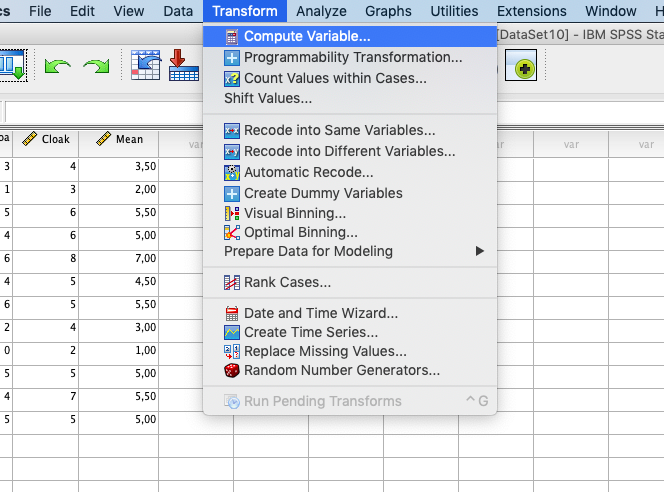
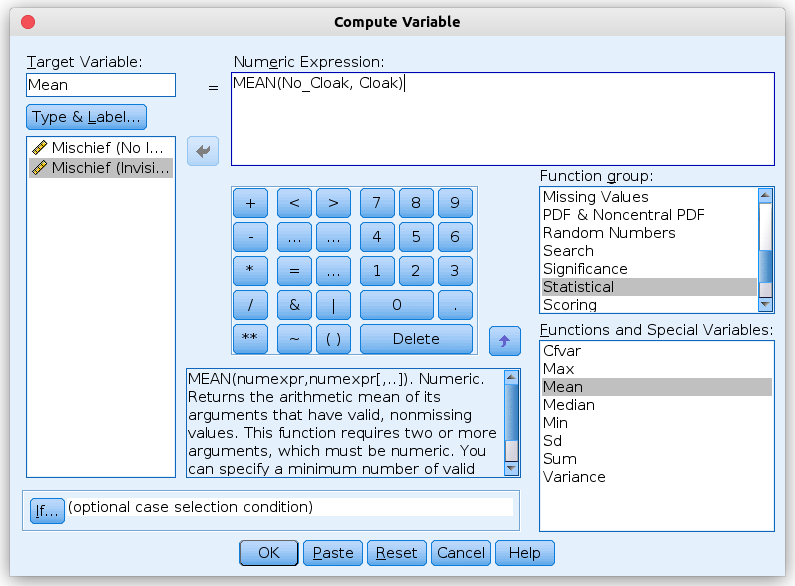
In SPSS you can create variables using: |
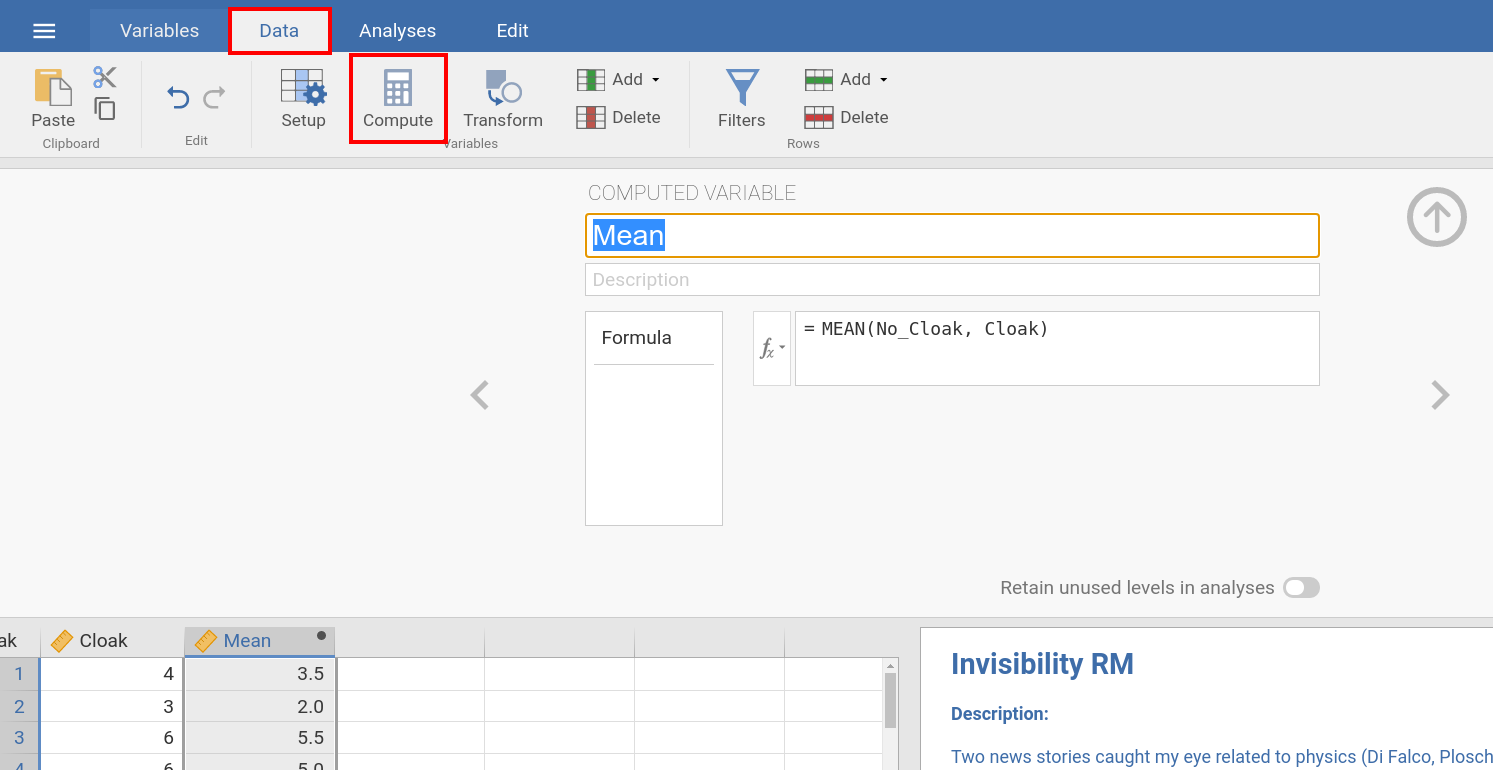
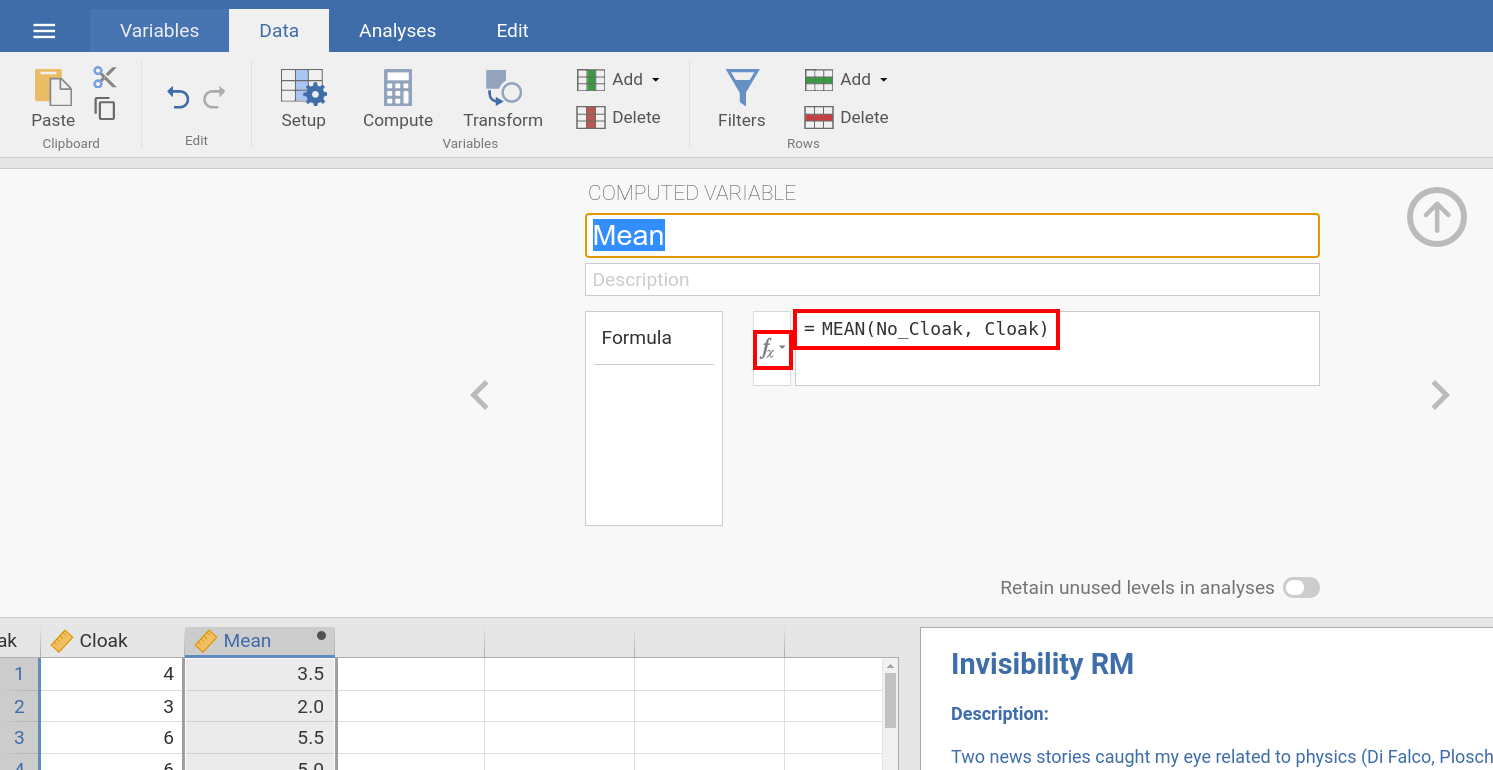
In jamovi you do this using: |
|
|
Both in SPSS and jamovi, you can calculate the average of the two columns |
|
|
|
Now we would like to calculate the group mean for the individual means of the two conditions ( |
|
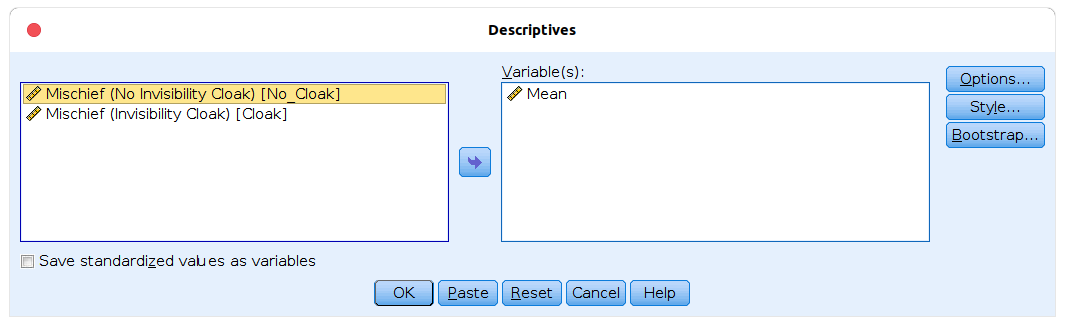
In SPSS this is done with: |
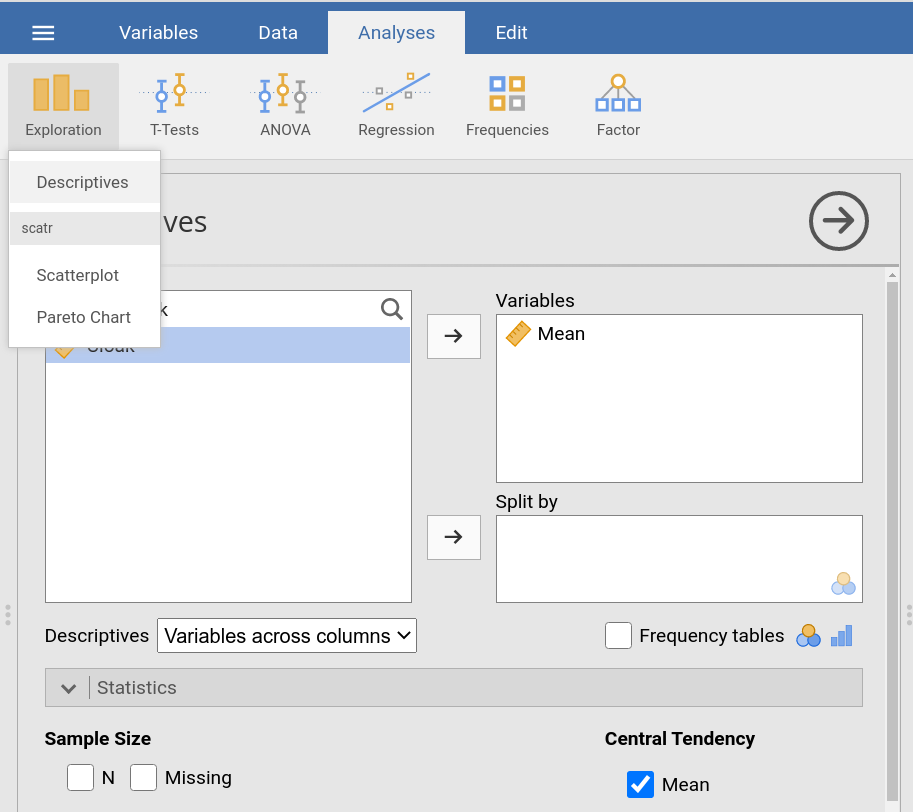
In jamovi this is done using: |
|
|
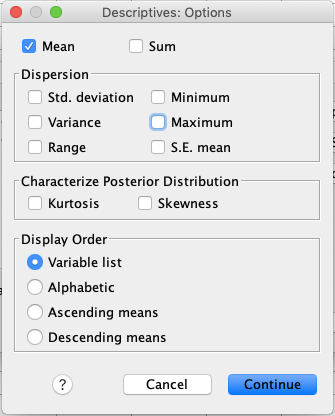
After clicking |
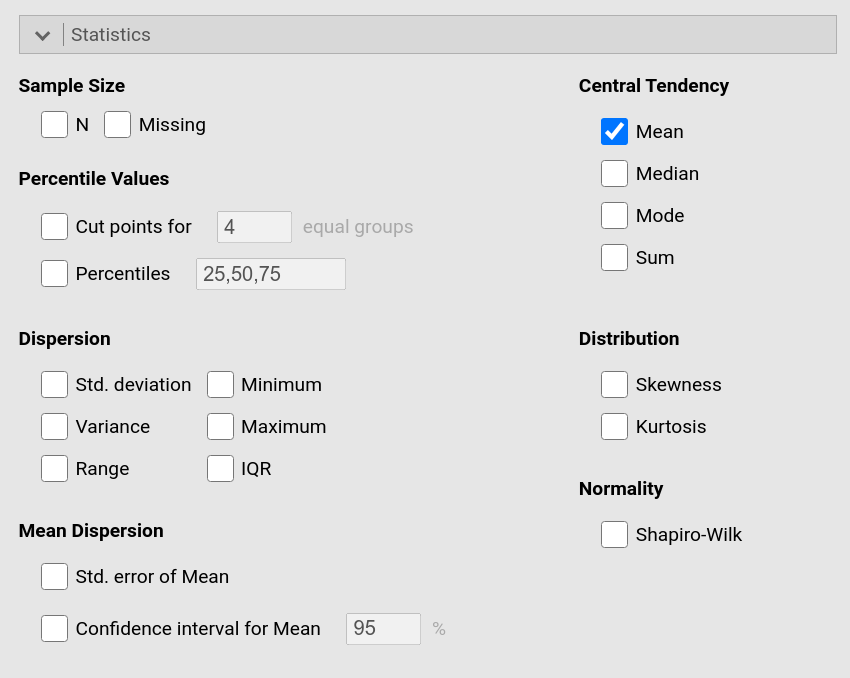
In jamovi, one can adjust which statistics one wishes to be calculated in the
drop-down-menu |
|
|
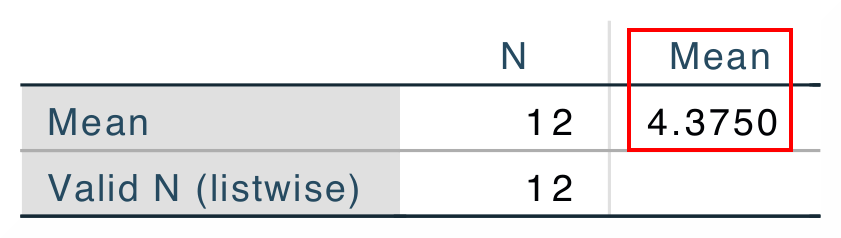
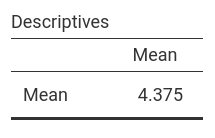
The mean value (4.375) which is the output from the descriptive statistics is used in the next step. |
|
|
|
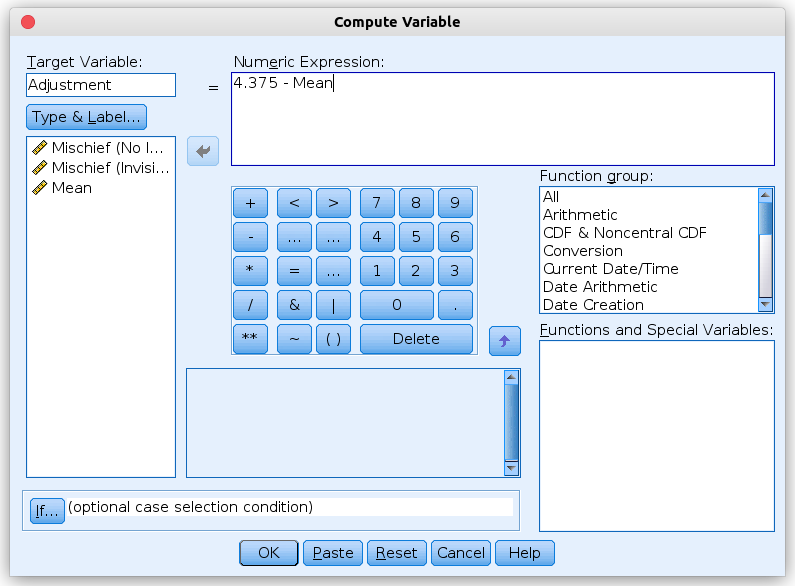
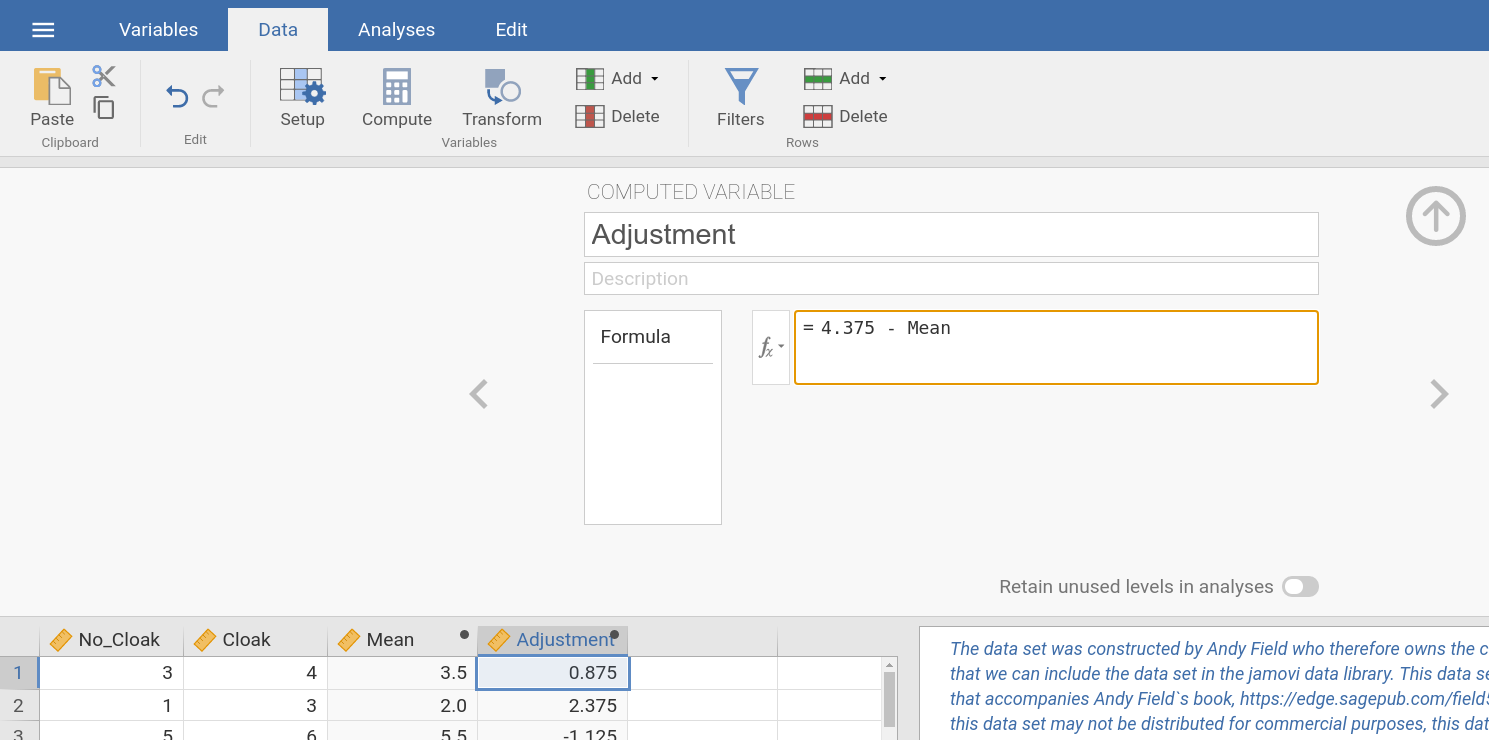
More specifically, it is used to calculate an adjustment variable that “corrects” the individual means for the group mean (i.e., it calculates for each
participant where the mean for that participant – |
|
To calculate this |
To calculate the |
|
|
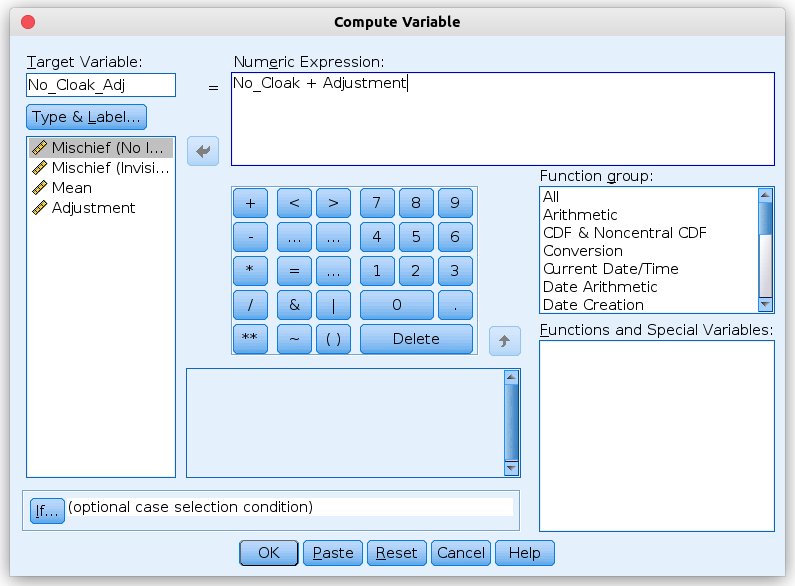
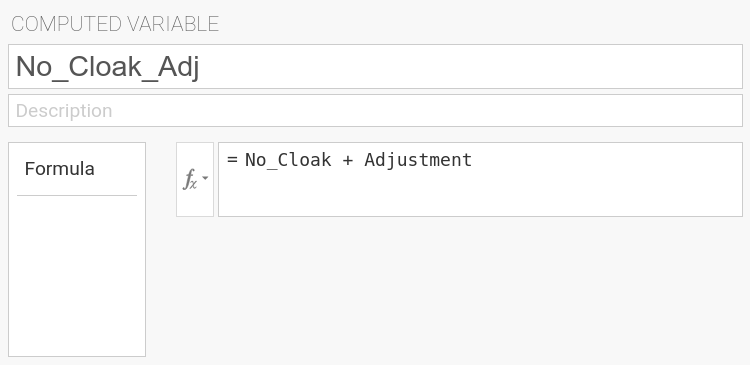
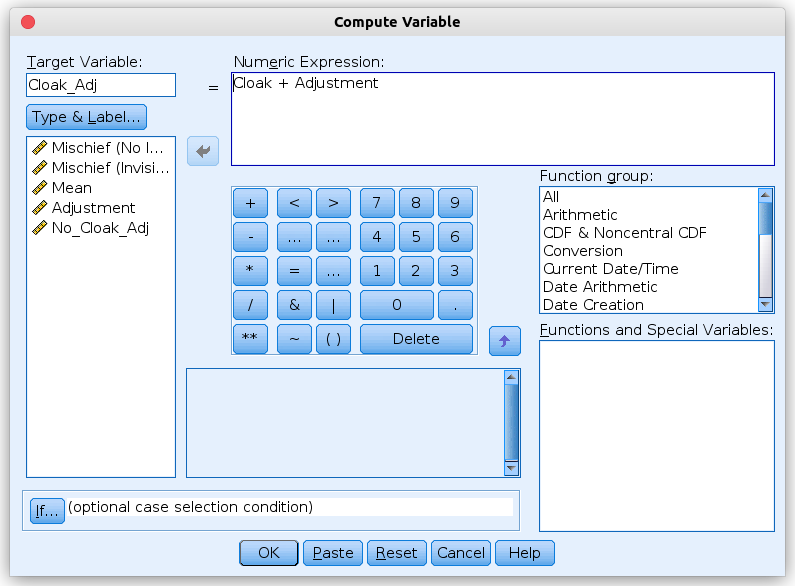
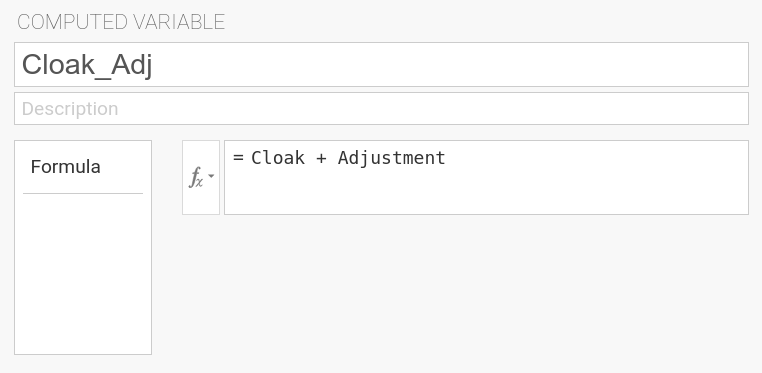
We create two further computed variables where we subtract that adjustment from each of the original variables, using the formula |
|
|
|
|
|
In jamovi, one also could have calculated those two variables in a much
simpler way. For |
|
For these two variables and the two original (unadjusted) variables, we now calculate descriptives statistics. We do this using the same procedure for calculating descriptive statistics as shown above. |
|
In SPSS this is done with: |
In jamovi this is done using: Analyzes → Exploration → Descriptives. In the
input panel, you assign variables |
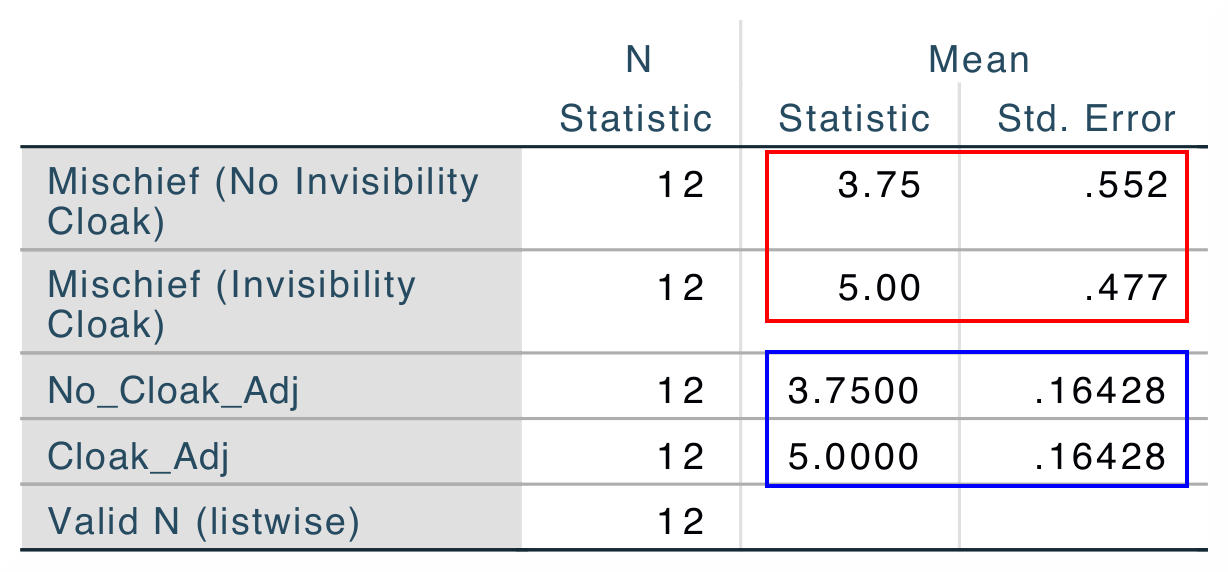
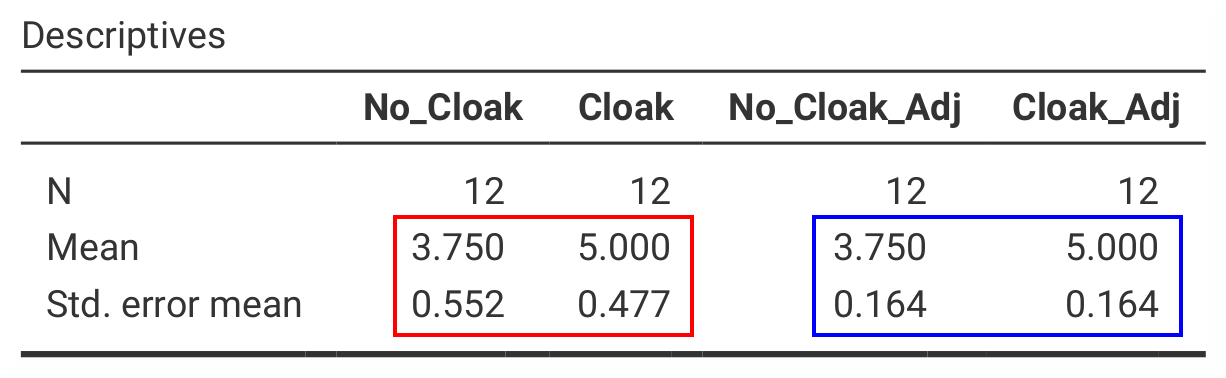
The output from either program, SPSS and jamovi, the output shows that the means for |
|
|
|
You can download the SPSS output files and the jamovi files with the analyses demonstrated above underneath. |
|
SPSS data file containing the computed variables SPSS output file containing the analyses |
|