Section author: Sebastian Jentschke, Rebecca Vederhus
From SPSS to jamovi: Logistic Regression
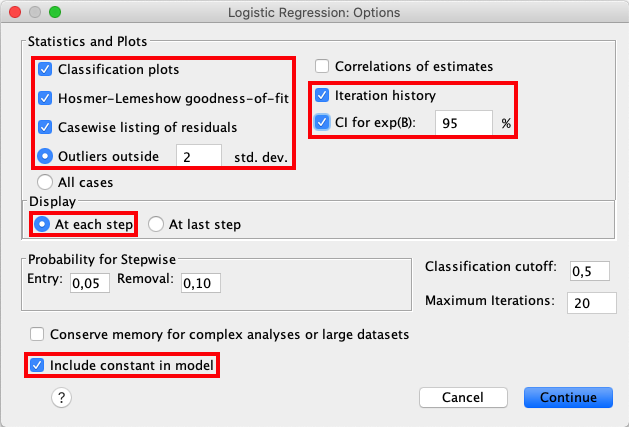
This comparison shows how a binary logistic regression is conducted in SPSS and jamovi. The SPSS test follows the description in chapter 20.5 - 20.6 in Field (2017), especially figure 20.7 - 20.10 and output 20.1 - 20.5 (bootstrap excluded). It uses the data file Eel.sav which can be downloaded from the web page accompanying the book.
SPSS |
jamovi |
|---|---|
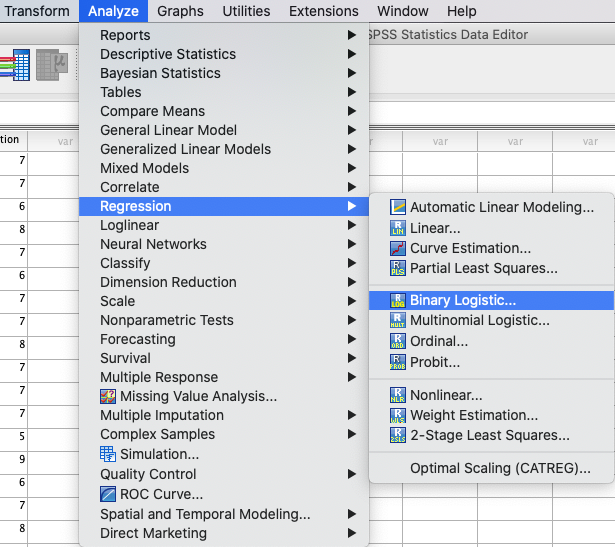
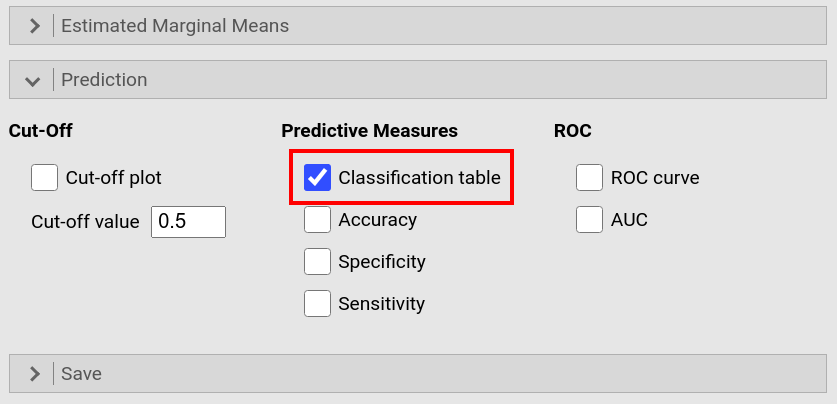
In SPSS you can run a binary logistic regression using: |
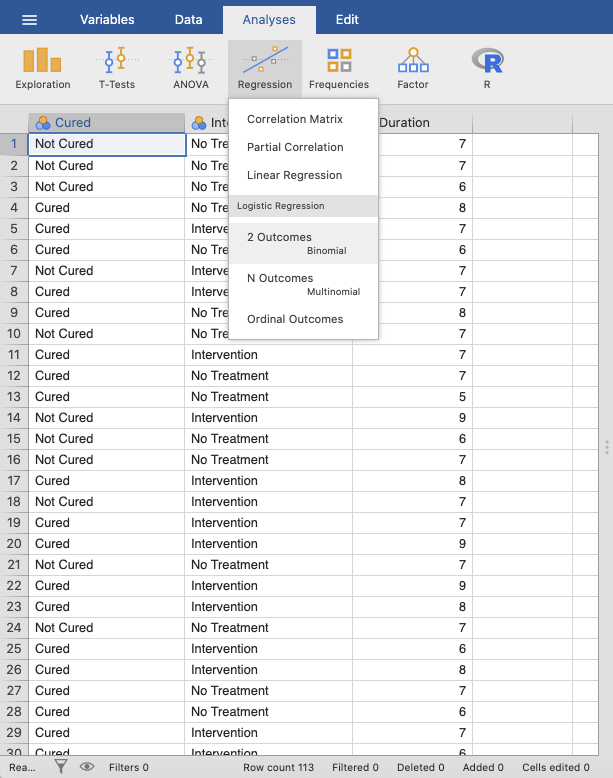
In jamovi you do this using: |
|
|
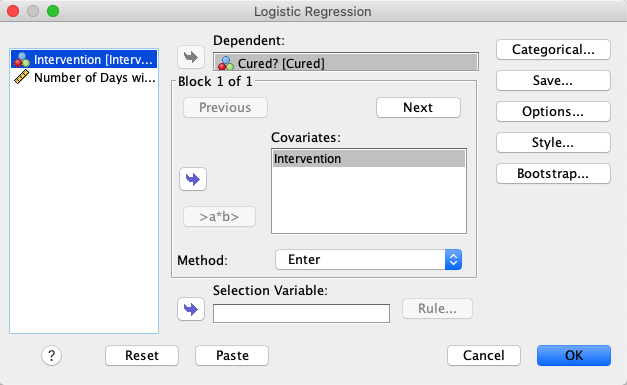
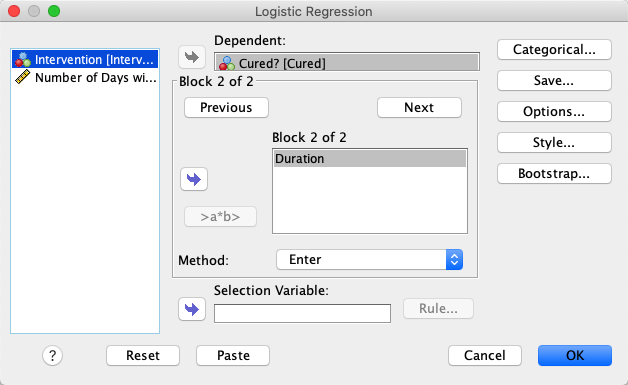
In SPSS, move |
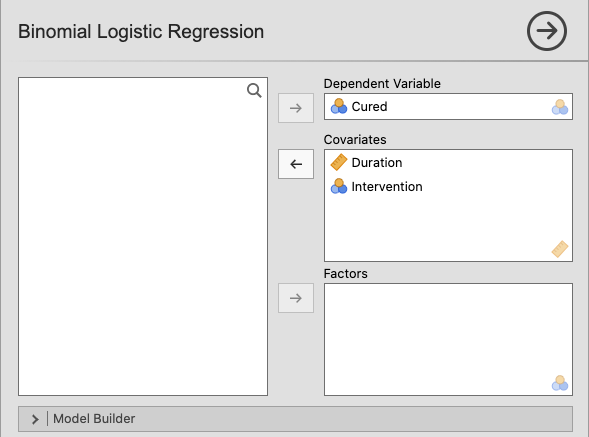
In jamovi, move the variable |
|
|
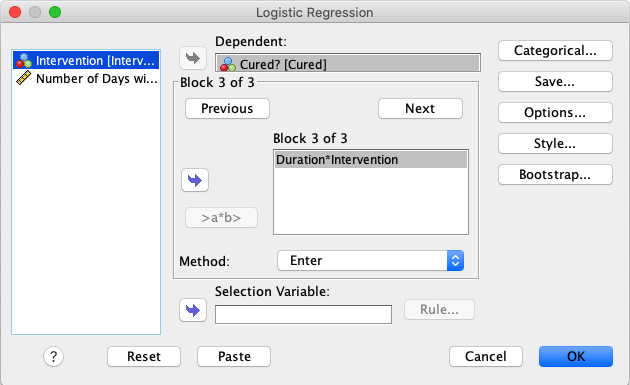
Click |
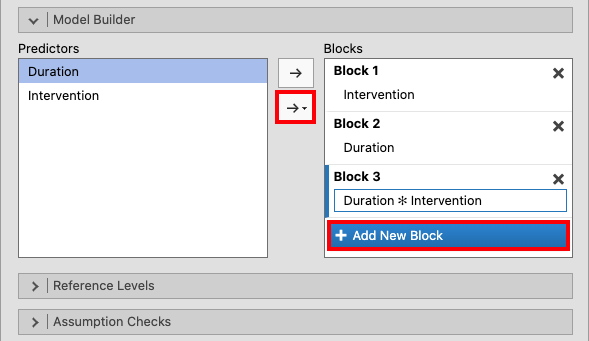
Create two new blocks by clicking |
|
|
Create a third block by clicking |
|
|
|
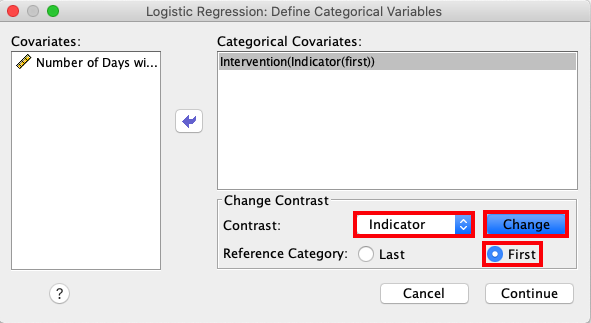
Access the |
jamovi set the reference category automatically to the first category. If you
were to change that, open the drop-down menu |
|
|
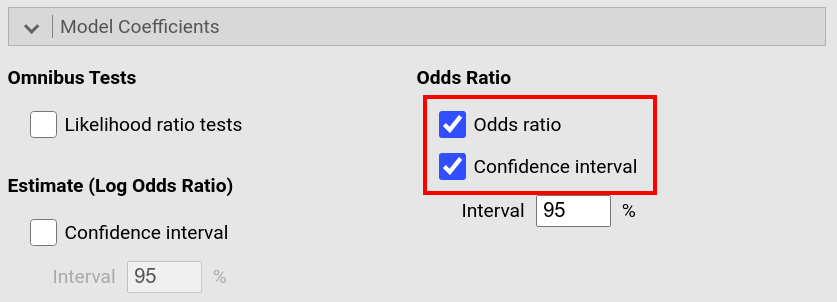
Open the |
Open the drop-down menu |
|
|
In the drop-down menu |
|
|
|
In the |
|
|
|
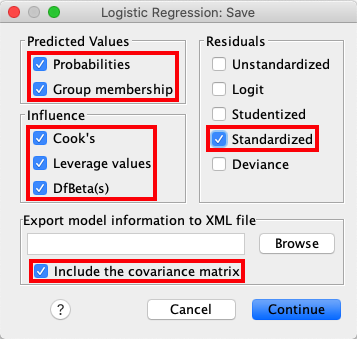
Open the |
jamovi permits you to save some of these values too. To do so, open the
drop-down menu |
|
|
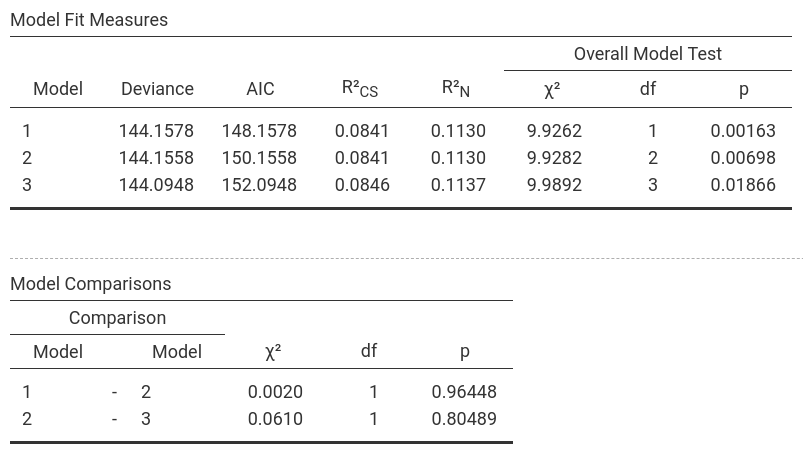
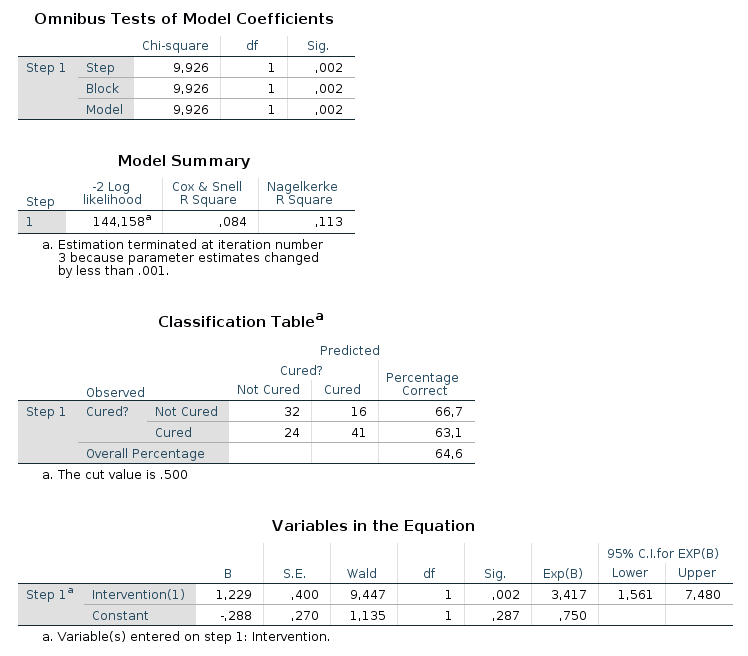
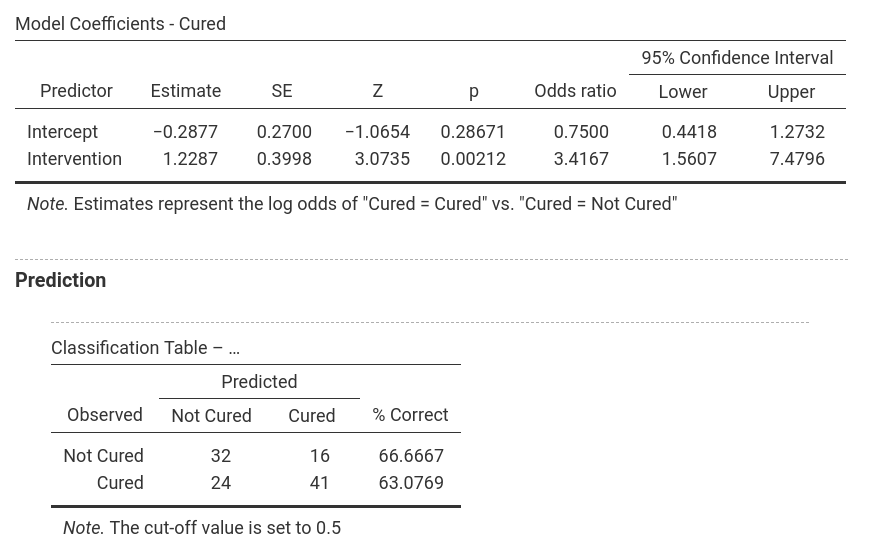
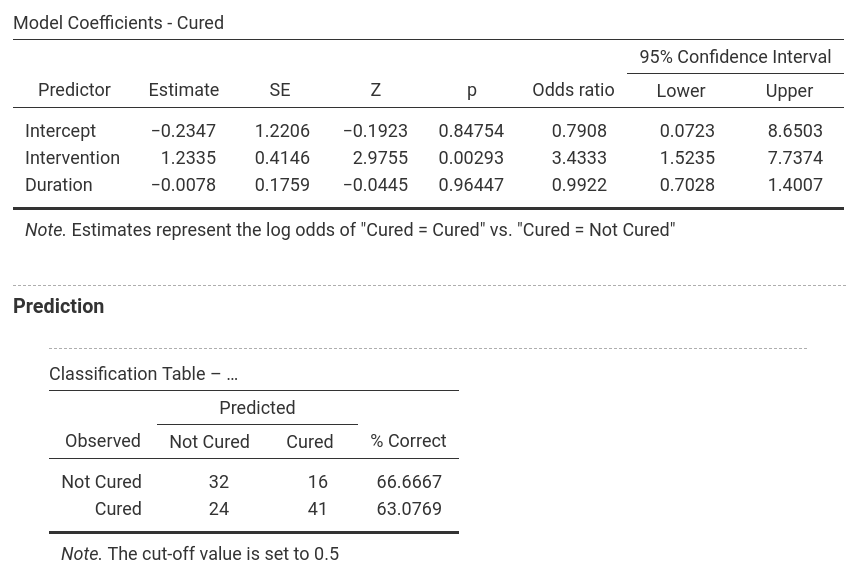
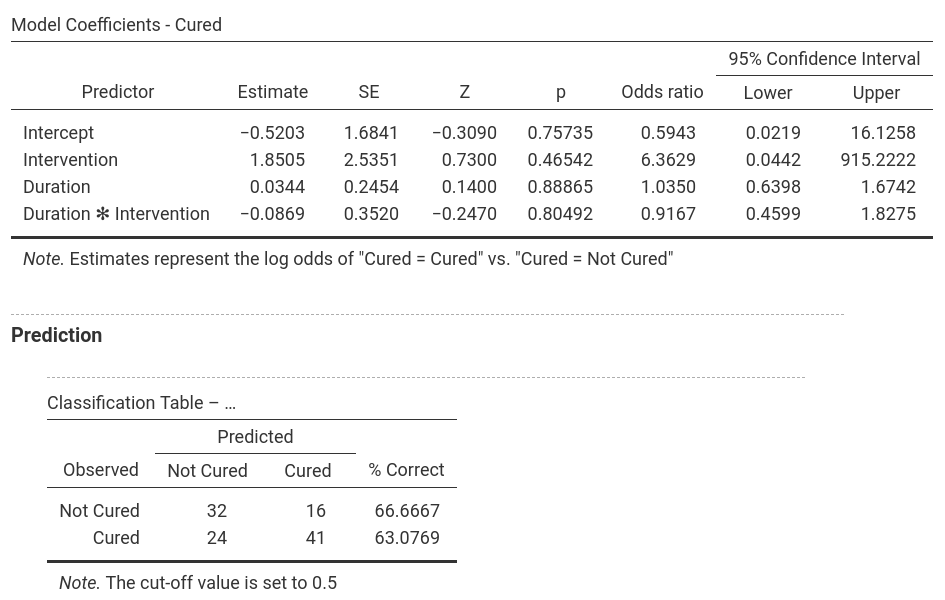
If you compare the output from SPSS and jamovi, the results are essentially the same. However, the results from jamovi are shorter and better structured, whereas the SPSS results are much more extensive (likely to the more comprehensive choice of options, according to Field, 2017). jamovi, furthermore, first has an overview over the models and their comparison whereas SPSS provides those model indices within each model. |
|
|
|
|
|
|
|
|
|
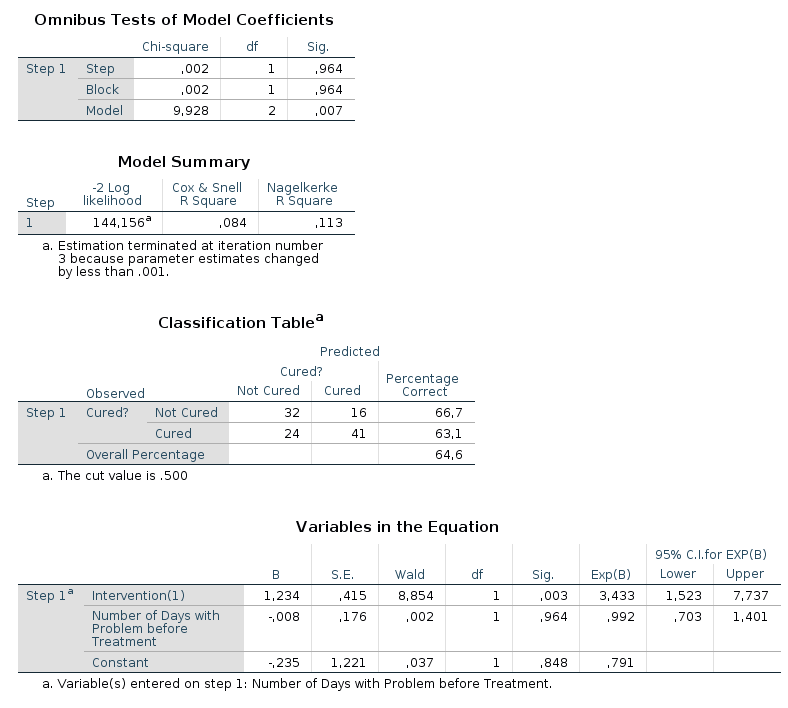
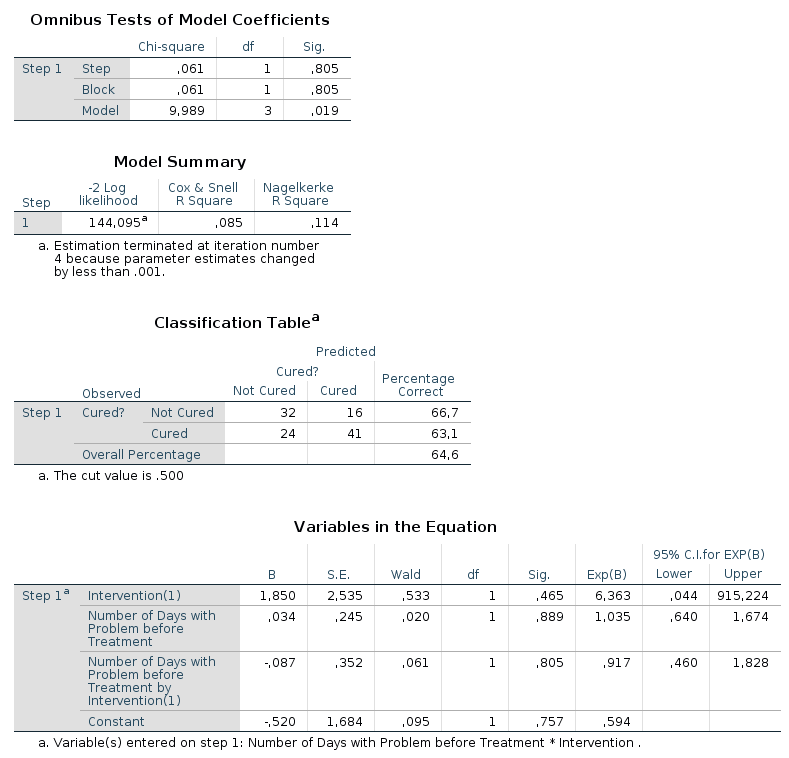
In the output from SPSS you can find tables for |
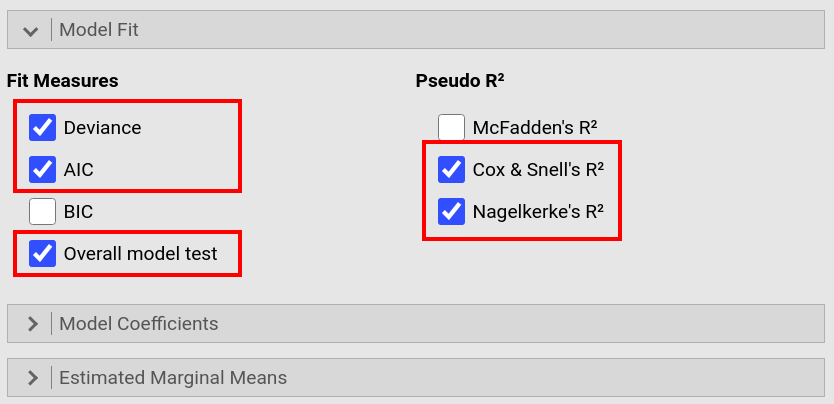
In jamovi, -2LL values, Cox & Snell R² and Nagelkerke R² values for all the
predictors are found in the table called |
SPSS produces a lot more output tables (some not shown) than jamovi, not the least due to Field (2017) asking for options that are not available in jamovi.
The numerical values for the results are the same.
Model 1: -2LL = 144.158, χ² = 9.926, df = 1, p = 0.002, R²CS = 0.084, R²N = 0.113, corr.NC = 66.667, corr.C = 63.077
Model 2: -2LL = 144.156, χ² = 9.928, df = 2, p = 0.007, R²CS = 0.084, R²N = 0.113, corr.NC = 66.667, corr.C = 63.077
Model 3: -2LL = 144.095, χ² = 9.989, df = 3, p = 0.019, R²CS = 0.085, R²N = 0.114, corr.NC = 66.667, corr.C = 63.077
It becomes clear that
Intervention is the most decisive predictor whereas Duration and the interaction of Intervention × Duration don’t really
lead to better prediction: The number of correctly classified cases doesn’t change between the models while Model 1 is the most parsimonuous; furthermore,
the Deviance (-2LL) and χ² for Model 2 and 3 are more or less the same as for Model 1 (and since more df’s are used in Model 2 and 3, the p-values increase
(which is all emphasizing that Model 1 is the best model and should be selected). |
|
If you wish to replicate those analyses using syntax, you can use the commands below (in jamovi, just copy to code below to Rj). Alternatively, you can download the SPSS output files and the jamovi files with the analyses from below the syntax. |
|
LOGISTIC REGRESSION VARIABLES Cured
   /METHOD=ENTER Intervention
   /METHOD=ENTER Duration
   /METHOD=ENTER Duration * Intervention
   /CONTRAST (Intervention)=Indicator(1)
   /SAVE=PRED PGROUP COOK LEVER DFBETA ZRESID
   /CLASSPLOT
   /CASEWISE OUTLIER(2)
   /PRINT=GOODFIT ITER(1) CI(95)
   /CRITERIA=PIN(0.05) POUT(0.10) ITERATE(20) CUT(0.5).
|
jmv::logRegBin(
    data = data,
    dep = Cured,
    covs = vars(Duration, Intervention),
    blocks = list(list("Intervention"),
                  list("Duration"),
                  list(c("Duration", "Intervention"))),
    refLevels = list(list(var="Cured", ref="Not Cured")),
    pseudoR2 = c("r2mf", "r2cs", "r2n"))
|