Section author: Laiton Hedley
Computed Variables
Use Computed Variables to create new columns of data by performing calculations on existing columns. For example, you can transform responses into z-scores or compute a total score by summing several survey items.
You can create formulas using existing column names and functions, such as:
Z(response)Q1 + Q2 + Q3 + Q4
Adding a Computed Variable
Click the Data tab in the ribbon.
Click the Add button.
Select Append (or Insert) under Computed variables. A new column will appear in the dataset.
Configuring Your Variable
Once you have added a variable, you can configure it using the variable editor. To open the editor, double-click the column header or click Setup in the Data tab.
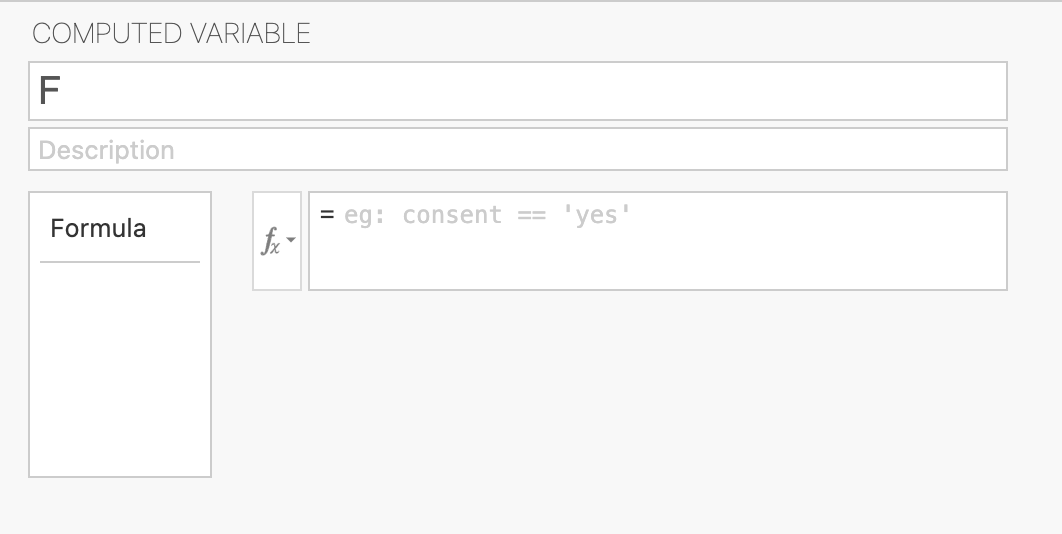
In the variable editor, you can:
Name your variable: Type a meaningful name in the top box.
Add a description: Provide more context in the description field.
Create a formula: Type your formula directly into the formula box.
Use the function list: Click the small fx button to see a list of available functions and variables. Double-click any item to insert it into your formula.
For a full list of what you can do with formulas, see the List of Functions.
Example: Sum Score Across Survey Items
Suppose you have three items from a survey scored on a 1–5 Likert scale and
you want a single overall score per participant. Add a computed variable
called Total_Score and use the SUM() function:
SUM(Item_1, Item_2, Item_3)
Item_1 |
Item_2 |
Item_3 |
Total_Score |
|---|---|---|---|
4 |
5 |
3 |
12 |
2 |
3 |
2 |
7 |
5 |
4 |
5 |
14 |
For more examples — including reverse scoring, z-scores, and outlier exclusion — see the Common Data Recipes.
When to Use Computed Variables
Computed variables are ideal for one-off calculations. However, if you need to apply the same transformation multiple times (for example, reverse scoring ten different Likert items), creating a separate computed variable for each can be tedious.
In those cases, use Transformed Variables instead. They allow you to define a single rule and apply it across as many columns as you like. They are also the best choice for “if-then” recoding.