Section author: Rebecca Vederhus, Sebastian Jentschke
From SPSS to jamovi: Correlation
This comparison shows how a Spearman’s correlation is conducted in SPSS and jamovi. The SPSS test follows the description in chapter 8.4.3 in Field (2017), especially output 8.2. It uses the data set The Biggest Liar.sav which can be downloaded from the web page accompanying the book.
SPSS |
jamovi |
|---|---|
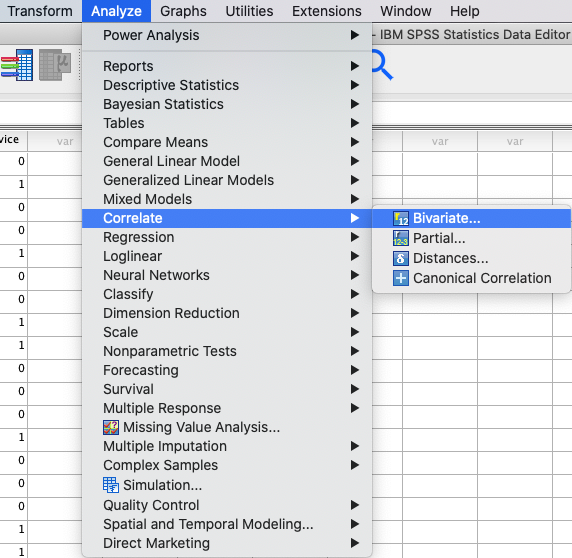
In SPSS you can run a correlation using: |
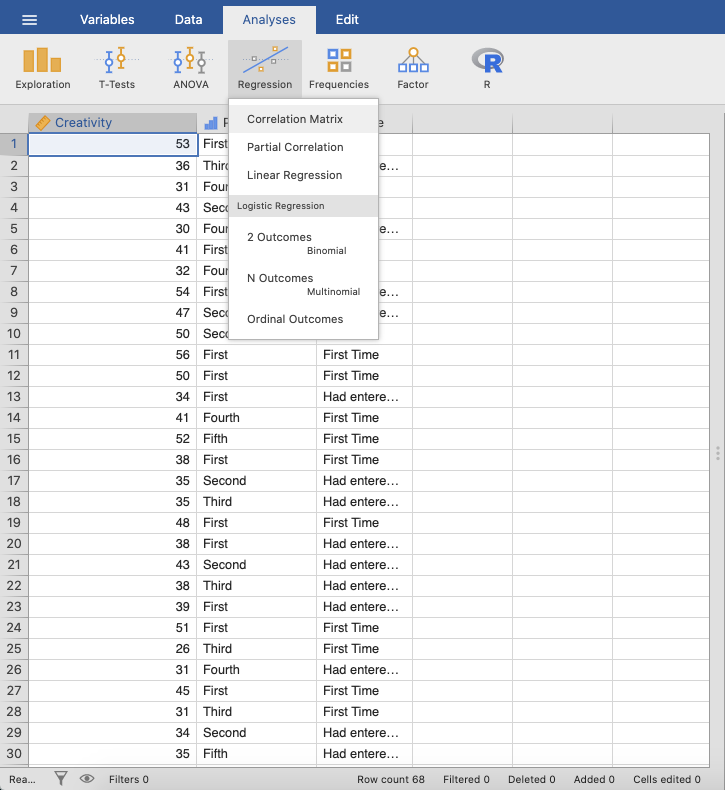
In jamovi you do this using: |
|
|
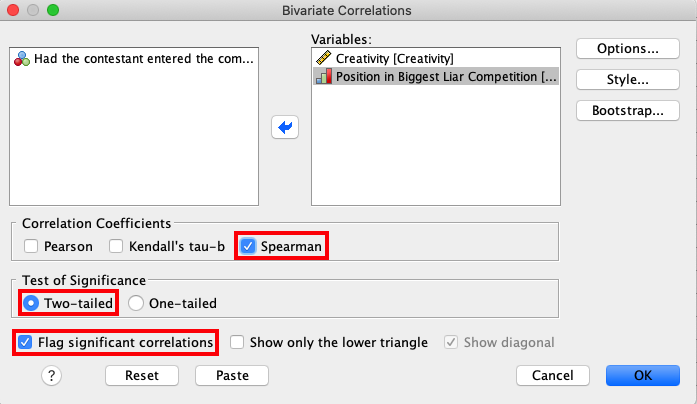
In SPSS, move the variables |
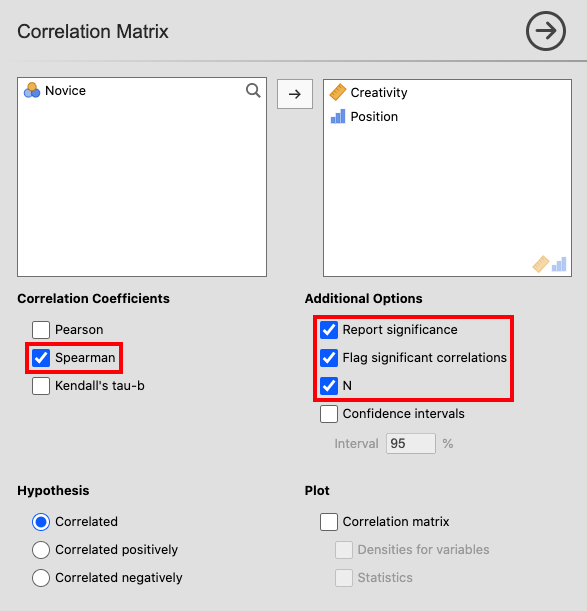
In jamovi, move the variables |
|
|
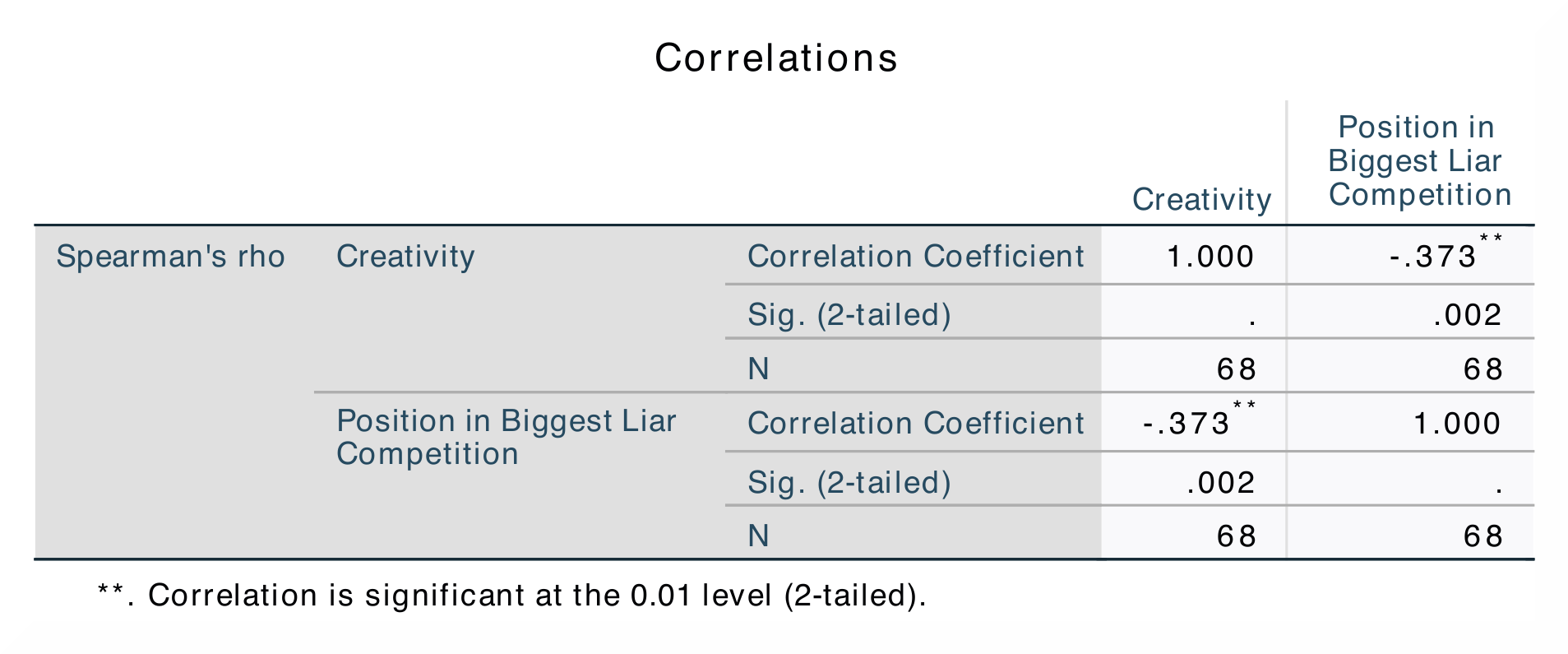
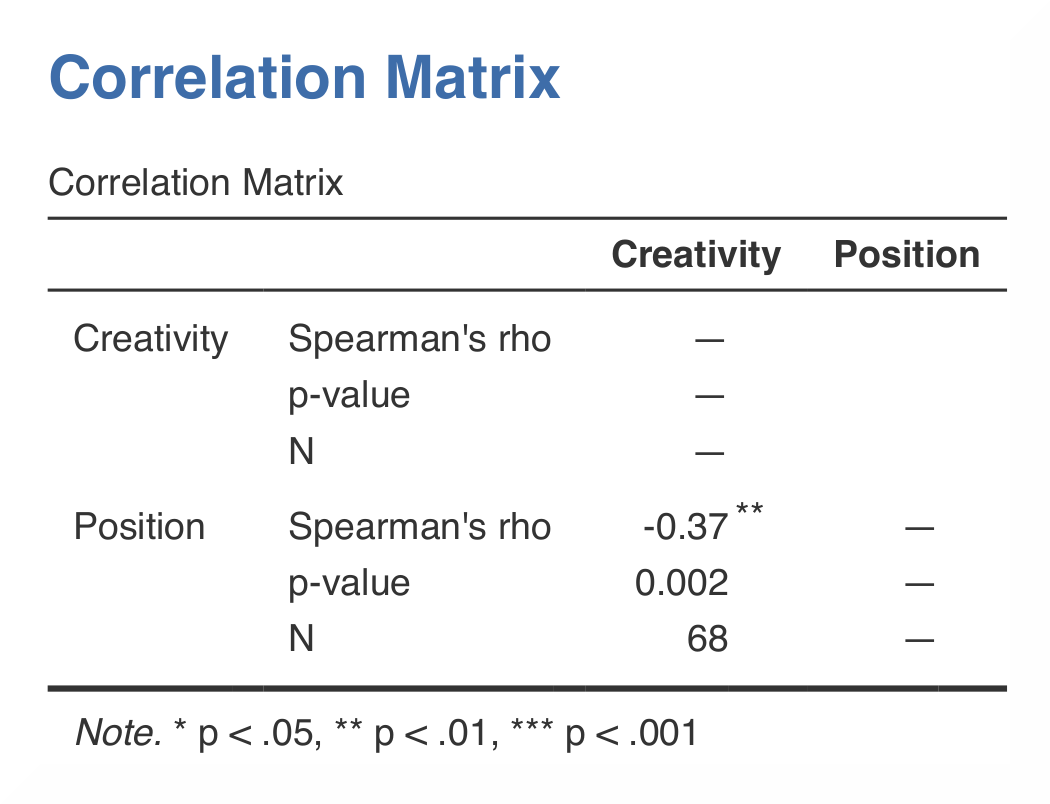
The results in SPSS and in jamovi are the same. |
|
|
|
In SPSS, you can tell if a correlation is significant by noting the amount of asterisks after the correlation coefficient. The correlation matrix shows the correlation coefficient, the p-value, and the sample size (N). |
jamovi, in accordance with APA-style, flags significant correlations using one (p < .05), two (p < .01) or three (p < .001) asterisks. In contrast, in SPSS all correlations above p < .01 level are simply marked using two instead of three asterisks. |
As in analysis on the previous page, the correlation coefficient is found both underneath and over the diagonal in SPSS, while in jamovi the coefficient is only shown underneath. The numerical values for the statistics are identical: r = -0.37, p < .01. |
|
If you wish to replicate those analyses using syntax, you can use the commands below (in jamovi, just copy to code below to Rj). Alternatively, you can download the SPSS output files and the jamovi files with the analyses from below the syntax. |
|
NONPAR CORR
  /VARIABLES=Creativity Position
  /PRINT=SPEARMAN TWOTAIL NOSIG FULL
  /MISSING=PAIRWISE.
|
jmv::corrMatrix(
    data = data,
    vars = vars(Creativity, Position),
    pearson = FALSE,
    spearman = TRUE,
    flag = TRUE,
    n = TRUE)
|