Section author: Jonas Rafi
Logistic Regression
How to perform a logistic regression in jamovi:
- You need one

 categorical dependent variable (nominal or ordinal), and at least one continuous explanatory variable.A correct setup should look similar to this: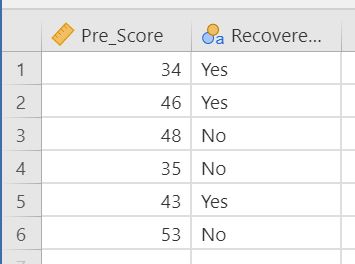
- Logistic regression can be found by selecting
Analyses→Regression. If the outcome variable is nominal (as in the above image), select2 Outcomesif it has 2 steps / different values, orN outcomesif it has more than 2 steps. If the outcome variable is ordinal (e.g., low, medium, high), selectOrdinal Outcomes.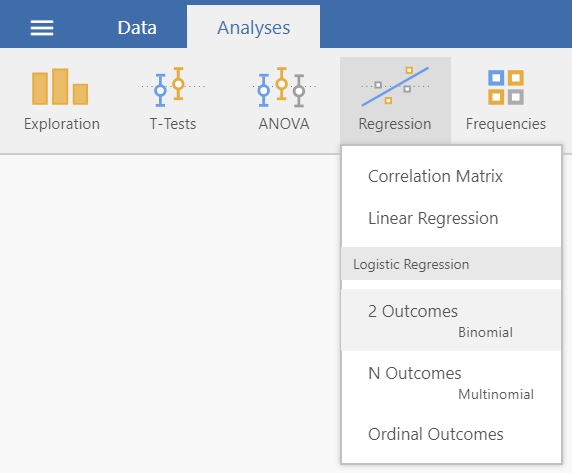
- Drag and drop your dependent variable to
Dependent Variableand your predictor toCovariates.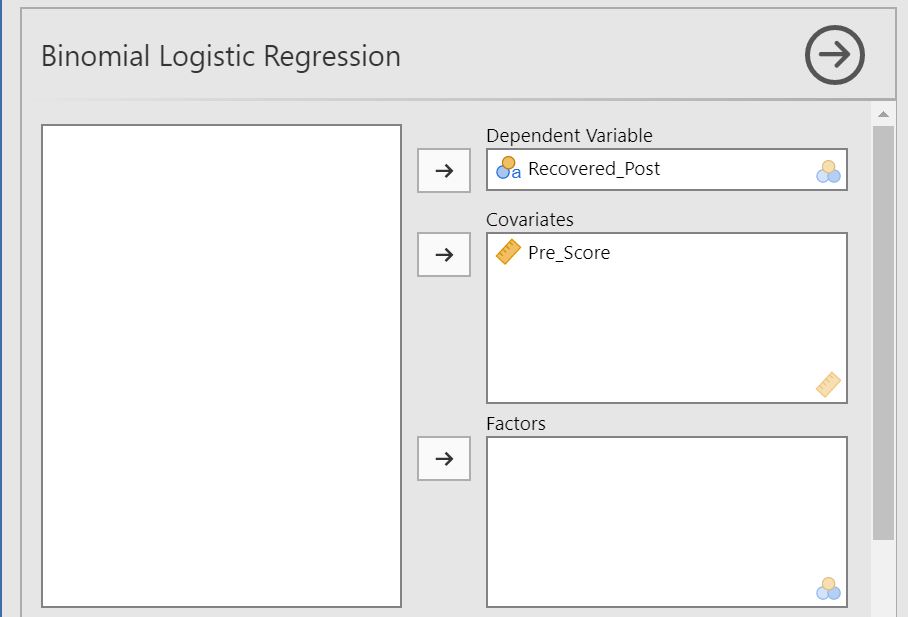
- Scroll down to the
Model Coefficientsdrop-down-menu and check the optionsOdds ratioandConfidence interval.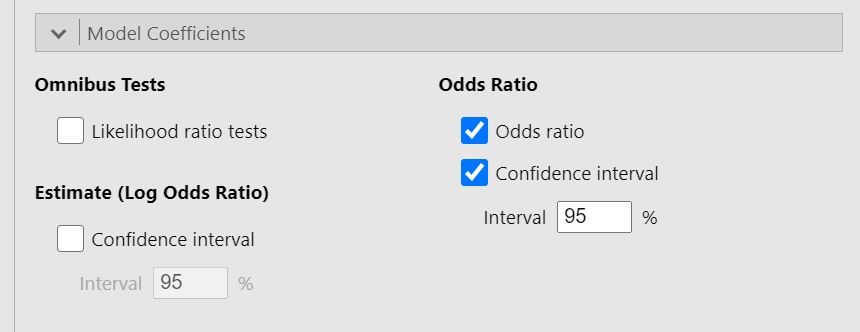
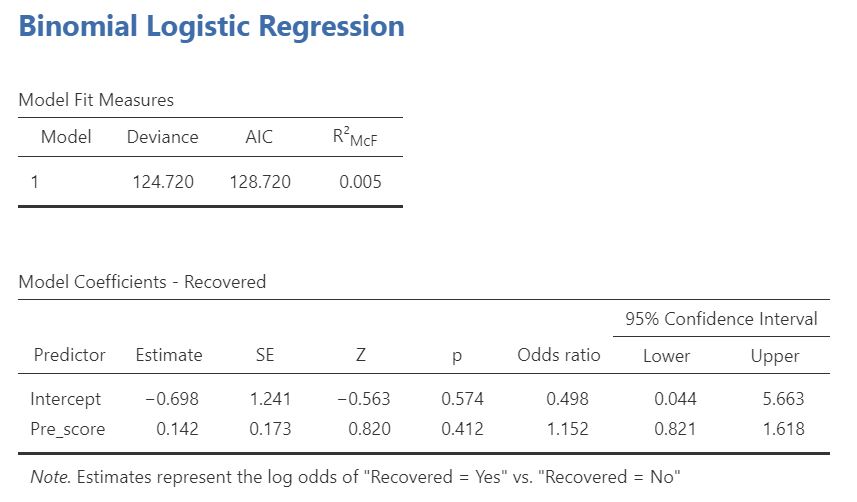
- The result is shown in the right panel:
Tip
Those who have previous experience with SPSS may want to have a look at the side-by-side-comparison of how a logistic
regression is conducted in SPSS and jamovi.
Further help from the community resources
A little more comprehensive introduction into this statistical method is provided by this two videos, explaining logistic regression with two levels (to predict, e.g., gender or clinical vs. control group) and with
more than two levels (to predict, e.g., food preferences: fast
food, healthy food, high protein food, vegan food, etc.).